Finally

  • Wanna Join? New users you can now register lightning fast using your Facebook or Twitter accounts.

yee

Sicc OG
Oct 1, 2005
2,487
0
0
#23
miguel_510 said:
heres how mines looks pretty simple with only a few add-ons....
1) what i circled in yellow its my media player that lets me control iTunes, WMP, realplayer, etc.
2) what i circled in red is the thing add-on that lets me download videos from youtube, google, etc.

how did u put like myspace and yousendit on your tool bar thing?
 
Jan 14, 2006
3,698
2
0
35
#26
TONY206 said:
It's Phoenity, I have also removed all the text menus and added a bookmark, options and extensions icon (because of the removed text menus) via this extension. The next icon is for FireFTP and then my Gmail notifier. The refresh button is combined with the stop button, so while a page is loading you'll see the stop instead of a refresh and when it's loaded you see only refresh. Finally, I have Tab Mix Plus to add the X on my tabs instead of it being on the far right.

i havent found any ftp sites to test out the new FireFTP add-on ...any suggestions?
 
Jan 14, 2006
3,698
2
0
35
#31
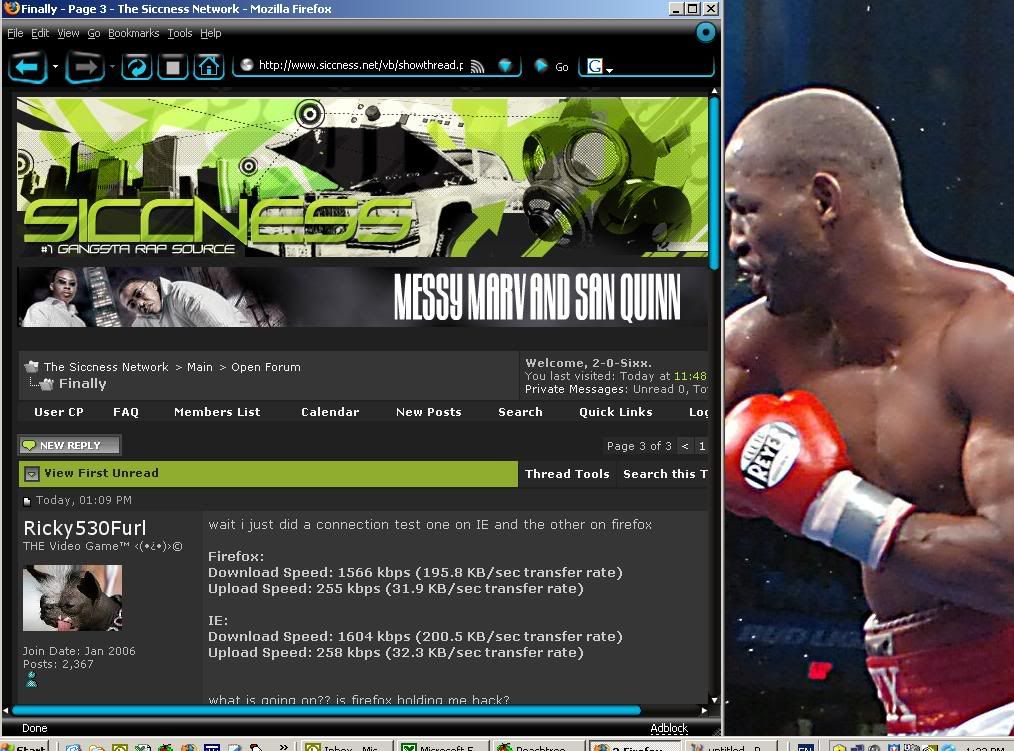
wait i just did a connection test one on IE and the other on firefox

Firefox:
Download Speed: 1566 kbps (195.8 KB/sec transfer rate)
Upload Speed: 255 kbps (31.9 KB/sec transfer rate)

IE:
Download Speed: 1604 kbps (200.5 KB/sec transfer rate)
Upload Speed: 258 kbps (32.3 KB/sec transfer rate)


what is going on?? is firefox holding me back?

http://speakeasy.net/speedtest/ thats where i tested it

and is it saying that cuz im downloading something cuz right now im downloading something using Firefox and its 1.4 GB and its going about 50 KB/S
 
Jan 14, 2006
3,698
2
0
35
#32
and another question too:

is there a way to close firefox and still keep on downloading the file?
i want to close firefox windows all of them but still keep on downloading the file so next time i open up firefox i just see the windows downloading again
 
May 13, 2002
49,944
47,801
113
45
Seattle
www.socialistworld.net
#33
I use firefox and it's a lot faster than IE. You got to change the settings.

Because I'm lazy, I did a search on the siccness (yes, the search feature does work) and found this info from Mr Ry

type "about:config" into the address bar and hit return. You'll see a bunch of settings. Scroll down and look for the following entries:

network.http.pipelining
network.http.proxy.pipelining
network.http.pipelining.maxrequests

Normally the browser will make one request to a Web page at a time.
When you enable pipelining it will make several at once, which really speeds up page loading.

Next, alter the entries as follows:

Set "network.http.pipelining" to "true" by right clicking on it and choosing "Toggle".
Set "network.http.proxy.pipelining" to "true"
Set "network.http.pipelining.maxrequests" to some number like 30. This means it will make 30 requests at once.

Lastly right-click anywhere and select New-> Integer. Name it "nglayout.initialpaint.delay" and set its value to "0". This value is the amount of time the browser waits before it acts on information it receives.

If you're using a broadband connection you'll load pages much faster now!

 

yee

Sicc OG
Oct 1, 2005
2,487
0
0
#36
does anyone know how to change tha screen resolution? i thinkk thats what its called cause sometimes wen i go to site tha whole site doesnt fit in fire fox n like half tha site gets cut off n i cant scroll the bar any further to see the other side
 

yee

Sicc OG
Oct 1, 2005
2,487
0
0
#39
CCCUser925 said:
yee you mean full screen ? hit F11 on your keyboard..
naw i tryed that but all it does is make tha screen bigger it doesnt show the part that gets cut off